When we hear about modern AI models, we often hear another word alongside them: GPU.
Training large language models, generating images, running neural networks, and processing huge datasets all depend heavily on GPUs. But why?
A GPU was originally designed to process graphics. Today, it has become one of the most important pieces of hardware for AI because AI workloads involve enormous amounts of mathematical computation that can be performed in parallel.
To understand why GPUs matter, we first need to understand what makes AI computation different from ordinary programs.
1. CPU vs GPU: What Is the Difference?
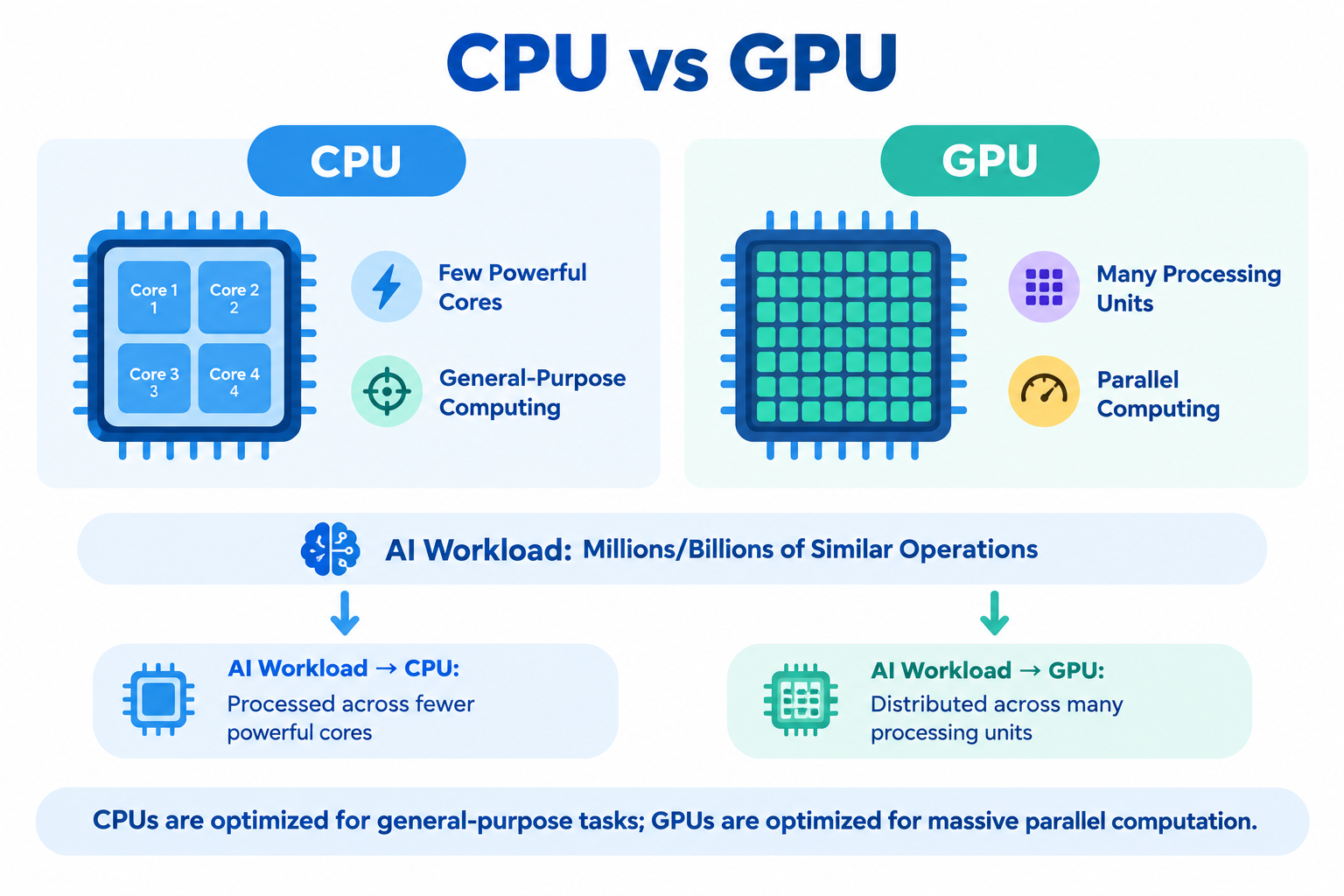
A CPU (Central Processing Unit) is designed to handle a wide variety of tasks. It typically has a relatively small number of powerful cores that can execute different instructions efficiently.
A GPU (Graphics Processing Unit) has many more smaller processing units designed to perform large numbers of similar operations simultaneously.
A simple analogy:
Imagine you need to calculate:
2 × 5
3 × 7
4 × 9
6 × 8
...
A CPU could process these calculations sequentially or across a limited number of cores.
A GPU is designed to handle many similar calculations at the same time.
This is important because neural networks perform enormous numbers of similar mathematical operations.
2. Why AI Needs Parallel Computing
The key idea behind GPU acceleration is parallelism.
Neural networks rely heavily on operations such as matrix multiplication.
For example:
[1  2]     [5  6]
[3  4]  ×  [7  8]
The resulting values require multiple multiplication and addition operations.
Real neural networks perform the same type of operation on matrices containing thousands or millions of values.
Instead of thinking:
Operation 1
   ↓
Operation 2
   ↓
Operation 3
   ↓
Operation 4
we can think:
Operation 1 ─┐
Operation 2 ─┤
Operation 3 ─┼──→ Results
Operation 4 ─┤
Operation 5 ─┘
Many calculations can happen simultaneously.
That is where GPUs become extremely useful.
3. How a GPU Helps Train an AI Model
Training a neural network involves repeatedly adjusting its parameters so that its predictions become better.
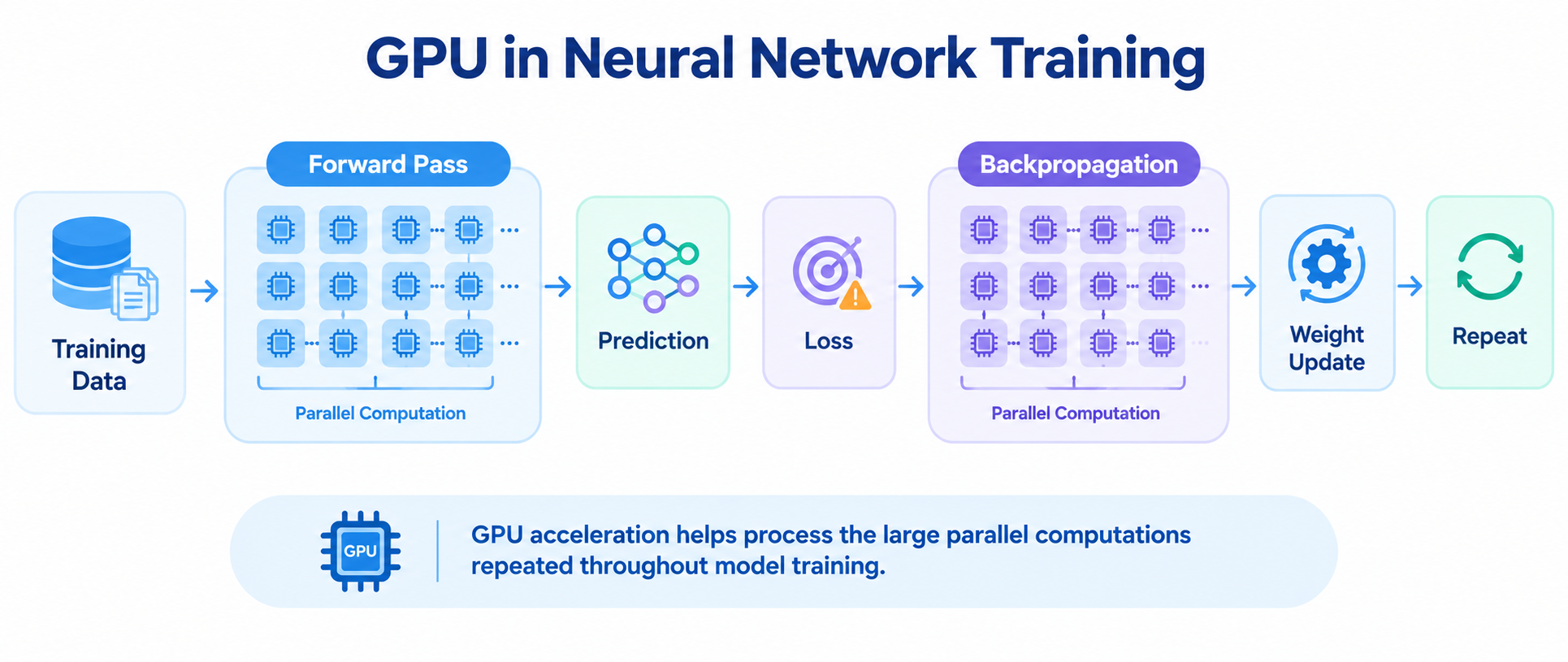
A simplified training process looks like this:
Input Data
    ↓
Forward Pass
    ↓
Prediction
    ↓
Calculate Loss
    ↓
Backpropagation
    ↓
Update Weights
    ↓
Repeat
The forward pass involves many matrix operations.
Backpropagation also involves substantial mathematical computation.
For a small model, a CPU may be perfectly capable of handling this.
But imagine performing these operations across millions or billions of parameters and repeating them over huge datasets.
The amount of computation becomes enormous.
GPUs accelerate these highly parallel operations, allowing training to be completed much faster than with CPU-only computation in many workloads.
4. What Happens During AI Inference?
Training is not the only stage where GPUs are useful.
After a model has been trained, we use it for inference.
Inference means giving the model an input and asking it to produce an output.
For example:
User Question
     ↓
AI Model
     ↓
Generated Answer
When you ask an LLM a question, the model performs many mathematical operations before generating its response.
For a large model, these operations can involve billions of parameters.
A GPU can process many of these calculations efficiently, making it useful for serving AI applications with low latency and high request volume.
However, inference requirements depend on the model size, workload, batch size, precision, and latency requirements.
5. GPU Memory: Why VRAM Matters
GPU performance is not only about computation.
GPU memory, commonly called VRAM, is equally important.
A model's parameters need to be stored somewhere while the model is running.
Suppose a model has:
7 billion parametersIf each parameter uses 4 bytes:
7,000,000,000 × 4
= 28,000,000,000 bytes
≈ 28 GB
So just storing the parameters would require roughly 28 GB of memory, before accounting for other requirements.
During training, memory is also needed for things such as:
- model weights,
- gradients,
- optimizer state,
- activations,
- input batches.
This is why a model may not fit into a GPU even when the GPU has enough computational power.
6. What Are Tensor Cores?
Modern GPUs contain specialized hardware designed to accelerate certain mathematical operations used heavily in AI.
One important example is Tensor Cores.
Tensor Cores are specialized processing units designed for high-throughput matrix operations.
This matters because matrix multiplication appears throughout neural networks.
AI workloads also frequently use lower numerical precision such as:
FP32
FP16
BF16
Lower precision can reduce memory usage and increase computational throughput while maintaining sufficient numerical accuracy for many AI workloads.
The important idea is:
GPUs are not simply "faster CPUs." Modern GPUs contain hardware specifically suited to the mathematical patterns common in AI.
7. Training vs Inference
Training and inference both use GPUs, but their requirements are different.
| Training | Inference |
|---|---|
| Learns model parameters | Uses learned parameters |
| Requires forward + backward computation | Mainly forward computation |
| Usually requires more memory | Often requires less memory |
| Can use large batches | May prioritize low latency |
| Computationally expensive | Can be optimized for serving |
During training, the system needs to calculate gradients and maintain additional state.
During inference, the model mainly needs to process inputs and generate outputs.
Therefore, the GPU required for training a model can be very different from the GPU required to run that model after training.
8. Why Do Large AI Models Need Multiple GPUs?
Eventually, a model may become too large for a single GPU.
There are two major problems:
The model may not fit in memory
If the model requires more VRAM than one GPU provides, its parameters cannot simply be loaded onto that GPU.
The computation becomes enormous
Large models also require enormous computational resources during training.
Multiple GPUs can therefore work together.
A simplified setup looks like:
              Model
                ↓
       ┌────────┼────────┐
       ↓        ↓        ↓
     GPU 1    GPU 2    GPU 3
       └────────┼────────┘
                ↓
             Results
This is called distributed or multi-GPU computing.
The challenge is that multiple GPUs also need to communicate and coordinate their work. Moving data between devices introduces overhead.
So adding more GPUs does not automatically produce a proportional increase in performance
9. GPU Cost Is About More Than Speed
A faster GPU is not automatically the right GPU for every AI workload.
You need to consider:
- computational performance,
- VRAM capacity,
- memory bandwidth,
- power consumption,
- workload size,
- latency requirements,
- utilization,
- cost.
For example, if a workload only uses a small fraction of a powerful GPU's capacity, much of the hardware is sitting idle.
This creates an important engineering goal:
Use the right amount of GPU capacity for the workload.
Optimizing batch size, model precision, memory usage, and workload scheduling can sometimes improve efficiency without simply buying more hardware.
10. When Do You Actually Need a GPU?
Not every AI task requires a powerful GPU.
A CPU can be sufficient for:
- small machine-learning models,
- data preprocessing,
- simple inference workloads,
- traditional software applications,
- development and experimentation.
A GPU becomes particularly valuable when the workload involves:
- large neural networks,
- large-scale matrix operations,
- deep-learning training,
- high-volume inference,
- computer vision,
- generative AI,
- large language models.
For example, you can experiment with a small neural network on a laptop CPU.
But training a large deep-learning model on massive datasets is a very different problem.
The important question is not:
"Do I need a GPU because AI uses GPUs?"
Instead ask:
"How much computation and memory does my workload actually require?"
11. The Bigger Picture
GPUs became central to modern AI because they match the computational structure of neural networks.
AI models repeatedly perform enormous numbers of mathematical operations, particularly matrix and tensor operations.
GPUs provide:
Parallel Computation
        +
High Memory Bandwidth
        +
AI-Specific Acceleration
        ↓
Faster AI Workloads
But GPU performance is only one part of the system.
Efficient AI engineering also depends on:
Model Architecture
       +
Data
       +
GPU Compute
       +
GPU Memory
       +
Software Optimization
       +
Efficient Utilization
Understanding this distinction is important.
A GPU does not make an AI system good by itself. It provides the computational infrastructure that allows many AI workloads to run efficiently.
Key Takeaway
- AI is math at massive scale.
- GPUs make that math parallel, so thousands of operations can happen together.
- Compute gives speed; VRAM gives capacity.
- Training and inference need GPUs differently.
- Bigger models may need multiple GPUs, but more GPUs don’t always mean better efficiency.
- The right GPU depends on the workload, not simply the model size.
- GPU + optimized software + good utilization = efficient AI.
The simplest way to remember it:
CPU thinks broadly. GPU computes massively in parallel. AI needs massive parallel computation.